
Jims app
Stay connected, stay fit!
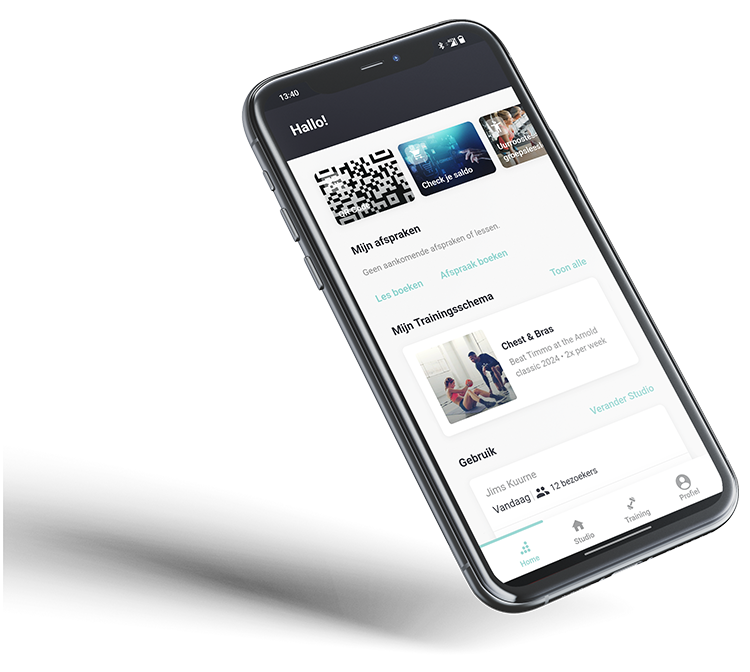
At Jims, "we move with you". Day after day we're helping you to move more, and our app plays a major role in that process.
With the app, you can get even more out of your membership. It's the ideal tool for achieving your personal fitness goals, booking group classes and getting more involved in the Jims community.
Please note: this application has replaced the former MyJims app.

Why download the Jims app?
Book your classes quickly and easily
Check the availability of your favourite group classes or Small Group Training sessions and book your place. No places left? Join the waiting list and be notified when a place becomes available.Leave your membership card at home
Scan your unique QR code in the app to enter all Jims clubs, use our body scanner or try our refreshing sports water.Find training plans that suit your goals
Discover personalised training programmes tailored to your goals and fitness level.Manage your personal profile
Keep your personal details up to date and easily manage or pause your membership.
Find a Jims club near you
Easily find your nearest Jims club, with opening times, club information and see the club occupancy. Plus, keep up to date with the latest news thanks to the app's notifications.Track your physical progress
Track your fitness data and the direct results of your efforts on your health.Tips and tricks
Read interesting advice, practical tips, delicious healthy recipes and inspiring stories soon.
It's time
to ACT
Our app is completely free for all Jimsers. Download it now and take advantage of all the useful functions!


-
Download the app
The Jims application is available for Android and iPhone.
-
Create a free account
Create an account with your email address that we know and choose your favourite Jims club.
-
Let's get moving together!
Visit your favourite Jims Club and make the most of your membership!
FAQ
- Book your lessons quickly and easily
- Receive notifications with the latest updates on your club and check your attendance figures
- Leave your membership card at home and use your app to log in, use the body scan and fill your water bottle.
- Discover personalised training programmes
- Personal dashboard with all your data and physical progress
- Find a club near you
- Choose the App Store associated with your smartphone's operating system.
- Find and download the Jims application.
- Register with the email address associated with your Jims subscription.
- Make the most of your Jims subscription and application.
Yes, create a new account using the email address associated with your subscription. That way, we'll be able to find your complete history and synchronise all your personal data with your application.
- Open the application
- Go to "Training
- Select the one you want
- Now all you have to do is train!
You can select a different club each time in the application by following the steps below.
Open the application
Go to "Studio
At the top, you can select another club using the "Connect to another studio" option.
Find all the information about your club
The app is free for all our members. Features vary depending on the subscription.
All subscriptions provide access to the following functions: (YOU, WE and WE+)
Access your club by scanning the app
Find clubs in your area
Information on news, events and projects
WE & WE+
Faster, easier booking of group classes and Small Group Training
Personalised training programmes
Personal dashboard with all body scan data and your physical progress
Read interesting advice, practical tips, delicious healthy recipes and inspiring stories soon.
- Open the app
- Go to "Login
- Click on "Forgot your password?
- Open the app
- Go to "Login
- Click on "Forgot your password?